Compare with
Looking for a Previewed alternative?
ezscreenshots is a focused App Store / Play Store screenshot maker at $39/year (vs Previewed's ~$148/year), with one-click AI translation to 30+ languages, multi-screen ZIP export, and a free tier you can ship commercially at full resolution.
At a glance
- Browser-based, no install, no signup for free tier
- Free tier: 3 full-res exports / month, no watermark
- 100% client-side — images stay in your browser
- Live-draggable 3D perspective + zoom callouts
- AI translation to 30+ locales (Pro)
- Multi-screen ZIP export (Pro)
- Browser-based, account required
- Free tier: 720p only, CC Attribution (non-commercial)
- 3D device scenes + animated MP4 video exports
- Hundreds of templates — broad device + social-media frames
- Cloud-saved projects, team collaboration (Pro)
- No AI translation / localization
The short version
Previewed is the breadth play. Beyond 2D screenshots, it offers 3D device renders and animated MP4 video exports, hundreds of templates, and a broad frame catalog (iPhone, iPad, Mac, monitors, social-media frames). Pro is ~$148/year on the annual toggle (or $19/month). There's also a one-time $9.99 "Plus" plan with a 10-export cap.
ezscreenshots is the opinionated, no-clutter alternative focused on App Store and Play Store screenshots. It runs entirely in your browser — your screenshots never leave your device. The free tier gives you 3 full-resolution exports per month with no watermark and full commercial use, and Pro unlocks unlimited exports plus AI translation to 30+ locales for $39/year. It skips templates in favor of a fast drag-and-drop flow with live 3D perspective, zoom callouts, custom font upload, and multi-screen ZIP export.
The honest version: if you need a 3D promo video, Previewed has features ezscreenshots doesn't. If you need cheap, multi-language App Store screenshots without an account, ezscreenshots is the sharper tool. Below is the side-by-side — picked an unfair fight? Let us know.
See the editor difference
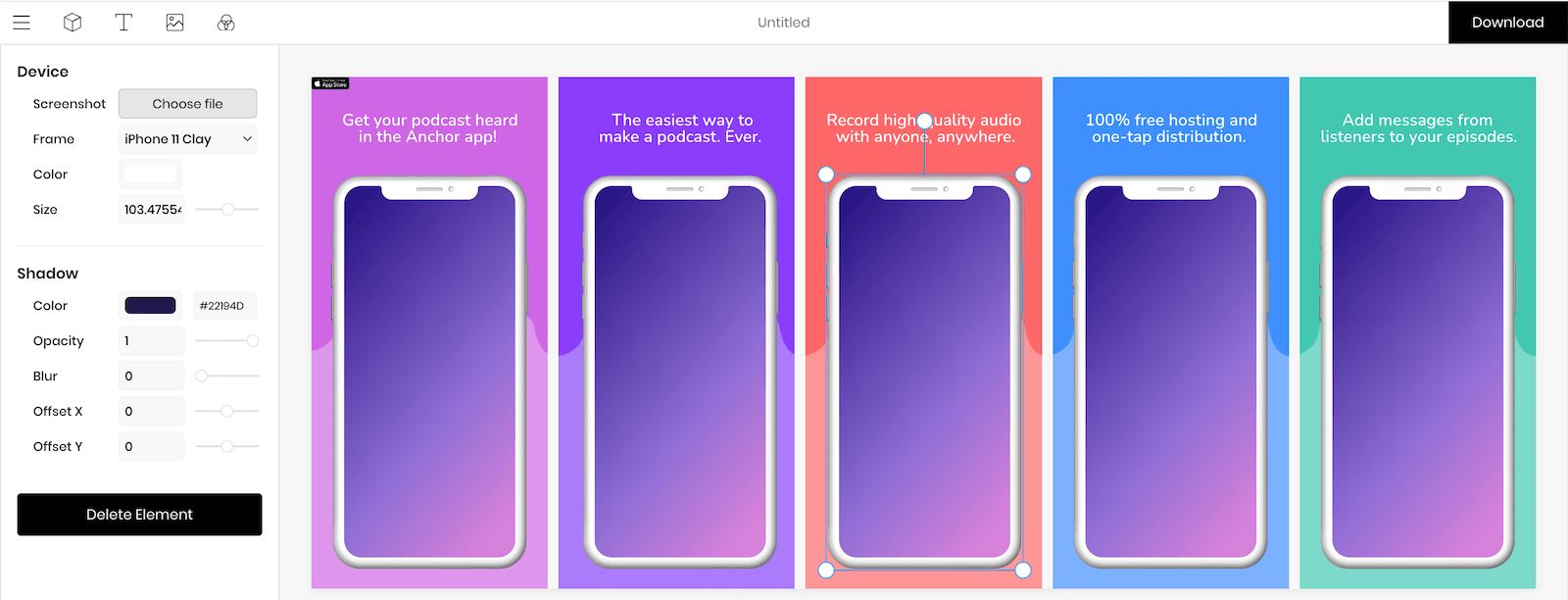
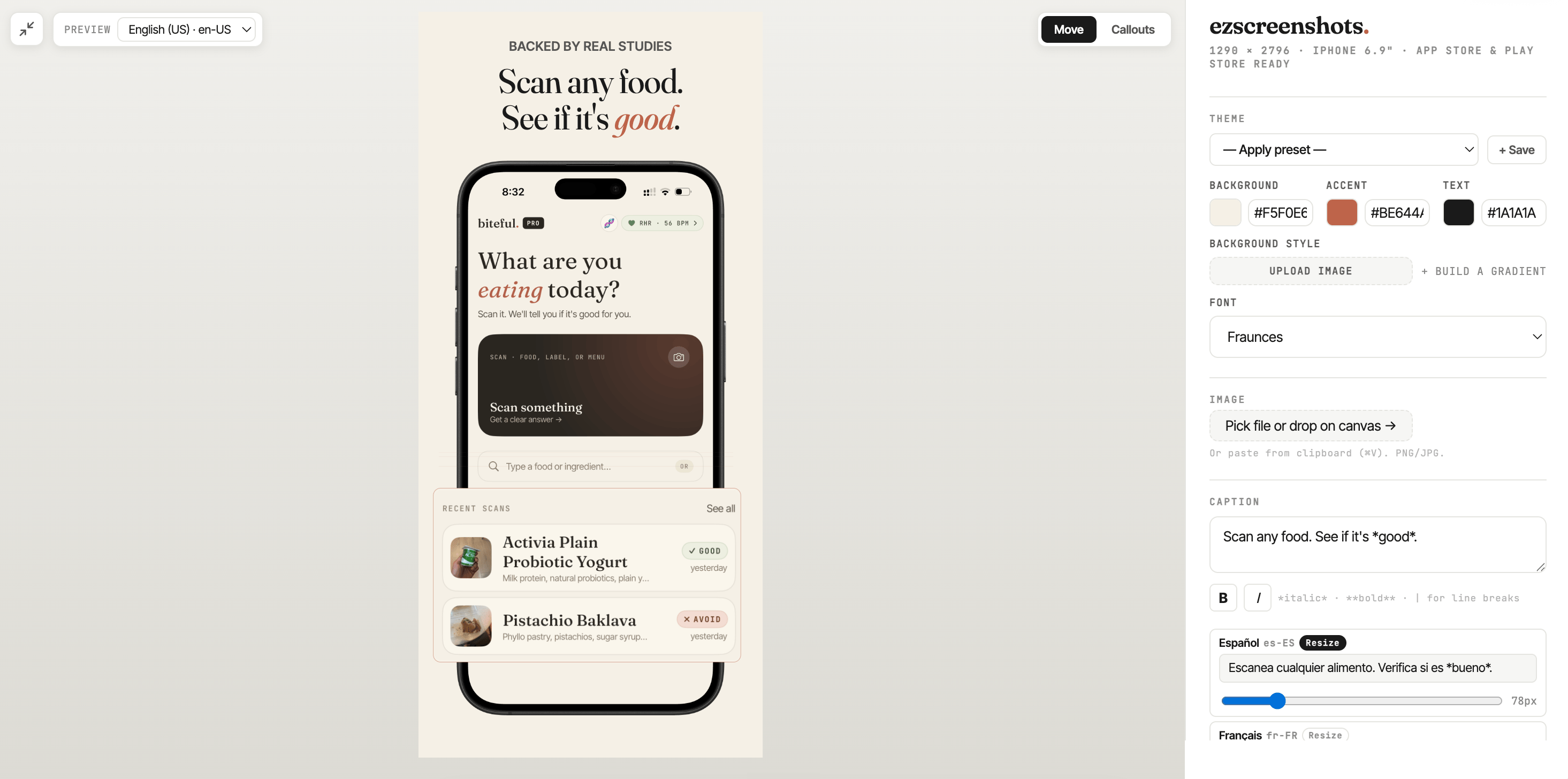
Previewed's pitch — and their homepage's primary CTA — is "Browse Templates." The editor is built around tweaking those: shadow color, opacity, blur, offset X, offset Y, per element. ezscreenshots takes the opposite approach: no templates, no layered editor, just drag-drop. Here are the two side-by-side.
Feature-by-feature
Researched on May 18, 2026 against Previewed's public homepage and pricing page. If anything's out of date, email support@ezscreenshots.com and we'll update it.
| Feature | ezscreenshots | Previewed |
|---|---|---|
| Pro annual price | $39 / year | ~$148 / year (or $19/month) |
| One-time purchase option | ✗ Subscription only | $9.99 Plus — capped at 10 exports |
| Weekly / short-term pass | $9 / mo | Monthly only |
| Free tier resolution | ✓ Full resolution (1290×2796 etc.) | ✗ 720p only |
| Free tier commercial use | ✓ No watermark, no attribution required | ✗ CC Attribution license (non-commercial) |
| Signup required | ✓ No signup for free tier | ✗ Account required for all tiers |
| Where your projects live | Your browser only (100% client-side) | Previewed's cloud |
| iPhone / iPad / Android frames | ✓ | ✓ |
| Mac / laptop / monitor frames | ✗ Mobile-focused | ✓ |
| Social-media post frames | ✗ | ✓ |
| Template library | No templates — start blank, build fast | ✓ Hundreds of templates |
| 3D device scenes | ✗ Flat screenshot focus | ✓ Flagship feature |
| Animated MP4 video export | ✗ | ✓ Pro · up to 60fps |
| Live-draggable 3D perspective on screenshot | ✓ Real tilt, any angle | Template/preset-driven |
| Zoom callouts (magnified overlays) | ✓ | ✗ |
| Custom font upload | ✓ Upload your own .ttf/.otf | ✗ Built-in library only |
| AI translation / localization | ✓ Pro · 30+ languages | ✗ Not offered |
| Multi-screen ZIP export | ✓ All screens in one zip, ready for App Store Connect | Panoramic composite sets (different) |
| Team collaboration | ✗ Solo-focused | ✓ Pro |
Which one's for you?
Pick Previewed if…
- You need animated MP4 promo videos or polished 3D device scenes, not just still PNGs
- You're making mockups beyond mobile — Mac, laptop, monitor, or social-media frames
- You want hundreds of pre-built templates to start from instead of designing from scratch
- You work in a team and need real-time collaboration on the same project
- Cloud-saved projects across devices is a feature you actively want
Pick ezscreenshots if…
- You want to pay <$30/year, not $148+/year
- You localize for multiple App Store / Play Store regions and want one-click AI translation to 30+ languages
- You need a free tier you can actually ship commercially — no watermark, no attribution, full resolution
- You'd rather not create another account just to make some screenshots
- You value privacy — your screenshots stay on your device, never uploaded
- You want live-draggable 3D perspective and zoom callouts that Previewed doesn't offer
- You'd rather export every device size as a clean ZIP for App Store Connect than build composite panoramas
Switching from Previewed? Get 50% off.
Email support@ezscreenshots.com with proof of an active Previewed subscription (a screenshot of your billing page works), and we'll send you a 50%-off coupon for your first year of ezscreenshots Pro.
Email support to claim →What devs are saying
"This is exactly the kind of internal tool indie devs end up needing. Most screenshot makers are built like design suites, when the real need is just: drop screenshot, edit headline, export clean PNG."
 mufenglabs
"Bruh this is awesome, and came just in time as I need to update all my screenshots. You hero."
te_abstract_art
"Love that it's just HTML + CSS. Really nice UI to see it change in realtime."
Human-Cherry-1455
"Really clean tool man, well done. This is painful to do well."
atheistjebus
FAQ
Does ezscreenshots do 3D scenes or video mockups like Previewed?
No — ezscreenshots focuses on still PNG screenshots for App Store and Play Store listings. It does offer a live-draggable 3D perspective on the screenshot itself (real tilt that you control), but not full 3D device scenes or animated MP4 video like Previewed. If you specifically need an animated promo video, Previewed is the better fit. If you need fast, multi-language App Store screenshots, ezscreenshots is sharper.
Can I use the free tier commercially?
Yes — that's one of the bigger deltas vs Previewed. The ezscreenshots free tier exports real, full-resolution PNGs with no watermark and no attribution required. You can ship them directly to App Store Connect. Previewed's free Lite tier is capped at 720p and uses a CC Attribution license, which technically requires you to credit Previewed and blocks commercial use without permission.
Will my screenshots stay private?
Yes — ezscreenshots runs entirely in your browser. Your screenshots are never uploaded to any server. There is no server. Previewed, by contrast, is cloud-based and stores your projects on its servers.
Can I migrate my Previewed projects?
No — the two tools use very different rendering models (Previewed's templates and 3D scenes have no direct equivalent), so there's no import path. But ezscreenshots is fast enough that templates aren't really the bottleneck: drag a screenshot in, type a caption, pick a background, export. Most users finish a complete iPhone + iPad set in under 15 minutes.
How does the 50%-off switcher discount work?
Email support@ezscreenshots.com with a screenshot of your active Previewed billing page. We'll send you a 50%-off coupon for your first year of ezscreenshots Pro. Manual approval — one coupon per email, no expiry on the offer itself.
Can I cancel anytime?
Yes. ezscreenshots Pro is a standard Stripe subscription. Cancel anytime from the customer portal — you keep Pro access through the end of your billing period.
Do you have a free trial of Pro?
The free tier gives you 3 full-resolution exports per month with no watermark — enough to do a single small App Store submission. If you need more, the $9/mo plan is the lightest paid option, or annual Pro is $39/year for unlimited exports plus AI translation and multi-screen ZIP export.
Ready to make your screenshots?
No signup. No clutter. Free tier exports real PNGs.
Launch ezscreenshots →