The short answer: yes, but only above a traffic threshold
Apple's Product Page Optimization (PPO) is real, it's free, and it genuinely surfaces conversion differences between screenshot variants. The catch: it only produces statistically meaningful results once your app has enough organic search traffic to split between control and treatment. For apps with fewer than a few thousand impressions per week, tests run for weeks before reaching significance — and the results, when they arrive, may not be reliable.
For apps with solid traffic, PPO is one of the highest-ROI tools available. For early-stage apps, it's worth setting up but shouldn't be your primary focus. Here's how to make the most of it either way.
How Product Page Optimization works
PPO lets you create up to three treatment variants of your default App Store product page. Each variant can have different screenshots, app previews (video), and promotional text. Apple automatically splits a portion of your organic search traffic across control and treatments, then reports impressions, conversion rates, and download deltas for each.
To set one up: App Store Connect → your app → Product Page Optimization → New Test. Choose which elements to vary (screenshots only, or also preview video and promo text). Set the traffic allocation — Apple suggests at least 30% per treatment, but you can go lower if you want to minimize risk on a potentially worse variant. Submit for review (Apple reviews the treatments before they go live, usually within 24 hours).
What metrics PPO reports
App Store Connect shows you four things per variant:
- Impressions — how many times the variant was shown in search results or on the product page
- Product page views — how many users tapped through to your full listing
- Conversion rate — the percentage of product page views that resulted in a download
- Downloads — absolute download count for the variant's traffic
The most useful signal is conversion rate — specifically the delta between your control and treatment. A treatment with a 2% higher conversion rate on a high-traffic app can mean hundreds of additional downloads per week compounding indefinitely.
What to test (and what's not worth testing)
High-signal tests
- First screenshot message: Different value propositions in the caption of screenshot 1 — "Track expenses in 10 seconds" vs "Your finances, finally under control". This is the highest-leverage variable because the first screenshot dominates conversion.
- Screenshot order: Leading with a feature screenshot vs a social proof screenshot vs an outcome screenshot ("users save $200/month on average").
- Dark vs light theme: Some apps perform meaningfully better in one or the other. Worth a test if you have the variant ready.
- With vs without device frame: Frames add context and a premium feel; they also shrink the visible UI. Not obvious which wins — test it.
Low-signal tests (not worth the traffic spend)
- Subtle colour variations in backgrounds or fonts — users barely notice and the signal-to-noise ratio is poor
- Screenshot 5 or 6 changes — most users never scroll that far; changing late screenshots doesn't move aggregate conversion
- Cosmetic copy tweaks on screenshots 2–4 without changing the first screenshot — first screenshot dominates, so changes elsewhere rarely reach significance
The traffic threshold problem
Statistical significance in an A/B test requires enough observations in each variant to reliably distinguish signal from noise. As a rough guide:
| Weekly impressions | Time to significance (detecting a 10% conversion lift) | Practical verdict |
|---|---|---|
| < 1,000 | Months to never | Don't bother yet — improve screenshots by judgment first |
| 1,000 – 5,000 | 4–8 weeks | Worth running, but only test large differences |
| 5,000 – 20,000 | 1–3 weeks | Good testing ground — iterate regularly |
| 20,000+ | Days | PPO is a core part of your ASO workflow |
App Store Connect will tell you when a test has reached statistical significance — look for the confidence indicator in the PPO results dashboard. Don't call a winner early just because one variant is ahead in week one. Early leads often reverse as the sample size grows.
How to make variants fast
The practical barrier to running PPO tests is the time to create screenshot variants. If producing a new screenshot set takes a day, you'll run one test per quarter. If it takes an hour, you'll run one per month and learn faster.
The fast workflow for PPO variants:
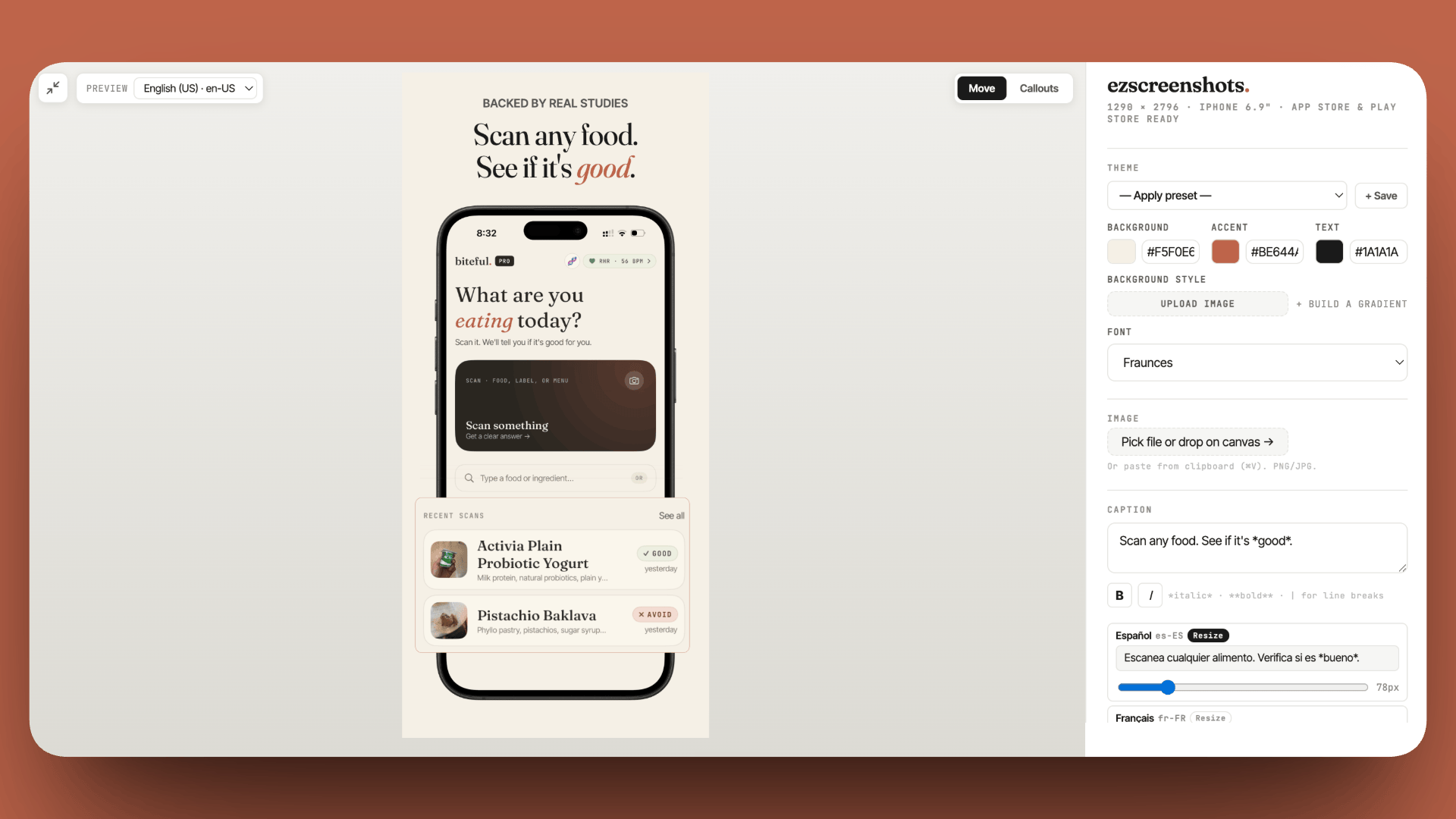
- Open your existing screenshot project in ezscreenshots
- Duplicate the project (or just open a new session — your theme is saved)
- Change the one variable you're testing — usually the caption on screenshot 1
- Export at the same dimensions as your control
- Upload to App Store Connect as a new PPO treatment
The whole process should take under 15 minutes for a single-variable test. The key is testing one variable at a time — if you change the background color, the caption, and the screenshot order simultaneously, you won't know which change drove the result.
Custom Product Pages vs Product Page Optimization
These two features are often confused. They serve different purposes:
| Product Page Optimization (PPO) | Custom Product Pages (CPP) | |
|---|---|---|
| Purpose | A/B test your default page to improve organic conversion | Create separate pages tailored for different paid traffic sources |
| Traffic source | Organic search only | Paid campaigns (Apple Search Ads, web links) |
| Indexed in search? | No — uses your default page's ranking | No — only reachable via direct link |
| Variants | Up to 3 treatments vs the default | Up to 35 separate pages |
| Winner applies to… | Your default page (you manually apply the winning variant) | Stays separate — doesn't affect default page |
| Cost | Free | Free (you pay for the ads that drive traffic to them) |
The right mental model: use PPO to continuously improve your organic default page. Use CPPs to show a tailored page to paid traffic — a user arriving from a "habit tracker" search ad should see habit-tracker-focused screenshots, not your generic marketing page. These two tools work together, not as alternatives.
Tracking variants without losing your mind
App Store Connect doesn't give you a clear "here's your current live screenshot set" view. Once you've run a few PPO tests and applied winning variants, it's easy to lose track of what's actually showing to users and what the baseline was.
The system that works: a folder on disk with a one-line README per variant.
screenshots/
  baseline-2026-03/          ← original set before any testing
  ppo-v1-dark-bg/            ← test: dark background vs cream
    README: tested Mar 2026, lost to baseline by 4%, archived
  ppo-v2-outcome-caption/    ← test: outcome-focused first caption
    README: tested Apr 2026, won +11% conversion, applied to default
  current-default/           ← what's live right now
Before overwriting anything, rename the folder with a date suffix. You want to be able to roll back if a variant causes unexpected problems after being applied.
When to run your first PPO test
Don't wait until your traffic is "big enough" to start. Set up your first PPO test as soon as your app has been live for a few weeks and has any organic traffic at all. Even if it takes six weeks to reach significance, you're learning something. And the habit of running tests — thinking in hypotheses, designing variants, reading results — compounds over time.
A good first test for almost any app: change only the caption on screenshot 1. Write two versions — one feature-focused ("Build habits in under a minute") and one outcome-focused ("Users who stick to their habits for 30 days"). Run them against each other. The result will tell you something useful about your audience's motivation regardless of statistical significance.
Make screenshot variants in minutes
Change one caption, export a new set, upload as a PPO treatment. ezscreenshots saves your theme so creating variants takes 15 minutes, not a day.
Try it free →Summary
- PPO works — it genuinely measures conversion differences between screenshot variants, and it's free
- Traffic threshold matters: <1,000 weekly impressions → improve by judgment first; 5,000+ → PPO is a core tool
- Test first screenshot first — it drives the majority of conversion; changes elsewhere barely register
- One variable at a time — changing multiple things makes results uninterpretable
- PPO vs CPP: PPO optimizes your organic default page; CPPs serve tailored pages to paid traffic. Use both.
- Track variants with folders — App Store Connect doesn't surface what's live clearly
- Start early — even slow tests teach you something, and the habit compounds