The frustration is real, but the answer is "no"
When Apple expanded Apple Search Ads to show multiple ad placements per search result page — pushing organic results further down — developers reacted predictably. "Indie development is dying." "They're becoming Google Play." "ASO was already dead." The sentiment on r/iOSProgramming hit 165 upvotes, which for a technical subreddit is real signal that this touched a nerve.
But the framing of "Apple killed ASO" conflates two different things: organic search discoverability and ASO as a discipline. The first has genuinely gotten harder for indie developers competing in crowded categories. The second is more important than ever — because conversion rate optimization through screenshots, ratings, and metadata now determines who survives the traffic that does reach their page.
Here's what actually changed and what that means for how you should spend your time.
What actually changed
More ad slots in search results
Apple Search Ads (ASA) expanded from a single ad at the top of search results to multiple placements — including a second ad slot below the first result and ads within the "You Might Also Like" section at the bottom of product pages. For high-intent, high-CPT keywords in competitive categories (fitness, productivity, finance), organic results can now sit below two or three paid placements before a user ever scrolls.
The practical impact: in categories with high ad spend (think: meditation apps, expense trackers, dating apps), organic rank 1 may effectively be visible rank 4. For indie developers who can't outbid well-funded competitors for the same keywords, this is a real squeeze.
Apple's algorithm weighs more signals than keywords
Traditional ASO — keyword-stuff your app name, subtitle, and keyword field — has been declining in effectiveness for years. Apple's search algorithm increasingly weights:
- Conversion rate — how many users who see your listing actually download. This is where screenshots are decisive.
- Ratings and review velocity — recent ratings matter more than total count.
- Download velocity — apps that spike in downloads for a keyword get a temporary boost. New releases and major updates can exploit this.
- Engagement signals — retention, session length, and crash rate are believed to influence rankings, though Apple doesn't confirm the specifics.
Keywords still matter — you need to be indexed for the right terms — but keyword presence alone no longer guarantees rank. Two apps competing for the same keyword will be separated by conversion signals. Which means your screenshots, icon, and rating are doing more ranking work than they used to.
Custom Product Pages shifted how ad traffic converts
Custom Product Pages (CPPs) let you create up to 35 separate App Store product pages, each with different screenshots, descriptions, and promotional text. These aren't indexed organically — they're specifically for paid traffic. You run an Apple Search Ads campaign, link it to a CPP tailored for that ad's audience, and users land on a page optimized for their intent.
This is significant for ASO strategy: it means your default product page no longer needs to serve every audience. You can optimize the default page for organic search intent and create separate CPPs for paid campaigns targeting different use cases. Developers who use CPPs well are essentially doing conversion rate optimization at the page level, not just the keyword level.
What this means for screenshots specifically
Screenshots have always been the highest-leverage element on your product page — studies consistently show that the first screenshot is the primary driver of tap-through from search results. But their importance has increased under the current dynamic for one reason: conversion rate is now a ranking signal.
An app with a 3% tap-through rate from search results and a 40% download rate from product page views will outrank an app with equivalent keywords but lower conversion. The algorithm is essentially crowdsourcing which apps deserve to rank — and users vote with taps and downloads.
The practical implication: investing an hour in better screenshots has a compounding return. Better screenshots → higher conversion rate → algorithm rewards you with higher rank → more organic traffic → more downloads → higher rank still.
What still works in ASO (and what doesn't)
Still works: keyword research targeting mid-tail terms
Head terms — "fitness app", "to-do list", "meditation" — are dominated by well-funded incumbents and heavy ad spend. They were hard for indies before the ad expansion; they're near-impossible now.
Mid-tail terms — "minimalist habit tracker", "offline workout log", "silent meditation timer" — still have meaningful search volume with far less competition. Tools like AppFollow, data.ai, and even Apple Search Ads' keyword suggestions surface these efficiently. Ranking #1 for a mid-tail term with 500 monthly searches beats ranking #5 for a head term with 50,000 — especially when head term rank 5 is now effectively below multiple ads.
Still works: ratings and review velocity
A 4.8-star app with 200 recent ratings will outrank a 4.2-star app with 2,000 total ratings in most algorithm configurations. SKStoreReviewController timing matters — prompt users at moments of success (task completed, goal reached, streak hit), not on app open. The goal is to request a review when users are most likely to be satisfied, which raises average rating and increases review count simultaneously.
Still works: localization
English-only apps are invisible to the majority of the world's App Store users. Localizing your metadata (app name, subtitle, keywords) into German, French, Japanese, and Spanish opens up keyword indices in those storefronts independently. Your English keyword field doesn't help you rank in the German App Store — only German-locale metadata does. See the guide on localizing App Store screenshots for the full workflow.
Still works: conversion rate optimization
Screenshots, app icon, and preview video. Your icon determines tap-through from search results (users see the icon before they see your name). Your first screenshot determines whether they read further. Your preview video can close the conversion if they're undecided. These three elements, optimized together, are the highest-ROI ASO investment available to an indie developer today.
Largely dead: keyword stuffing in the app name
Cramming keywords into your app name ("Budget Tracker — Expense Log, Spending Planner, Finance Manager") used to boost rankings. Apple's algorithm now penalizes keyword-stuffed names and reviewers can reject them under guideline 2.3.7. Your app name should read naturally. Use the subtitle (30 characters) and keyword field (100 characters) for non-name-brand keywords.
Largely dead: gaming ratings with incentivized reviews
Offering in-app rewards for reviews, or directing users to the App Store specifically to request positive reviews, violates guideline 5.6.1 and can result in review removal or app rejection. Apple's algorithm is increasingly good at detecting review velocity anomalies. Organic, well-timed prompts via SKStoreReviewController are the only sustainable path.
The right mental model for ASO in 2026
Think of ASO as two separate problems: discoverability and conversion.
Discoverability — getting found in search — has gotten harder for crowded categories. The honest response for most indie developers is:
- Target mid-tail keywords where you can actually rank organically
- Localize to open up non-English storefronts
- Use small-budget Apple Search Ads to test keyword resonance, not to outspend incumbents
- Diversify beyond App Store search: social media, content marketing, direct web traffic to your App Store page
Conversion — getting downloads from the users who do find you — has become more valuable as a ranking signal. The response:
- Your first screenshot is the most important marketing asset your app has. Treat it accordingly.
- A/B test your screenshots using Product Page Optimization (Apple's built-in testing tool, available in App Store Connect)
- Use Custom Product Pages for paid campaigns so your default organic page stays optimized for search intent
- Time rating prompts to maximize both volume and average score
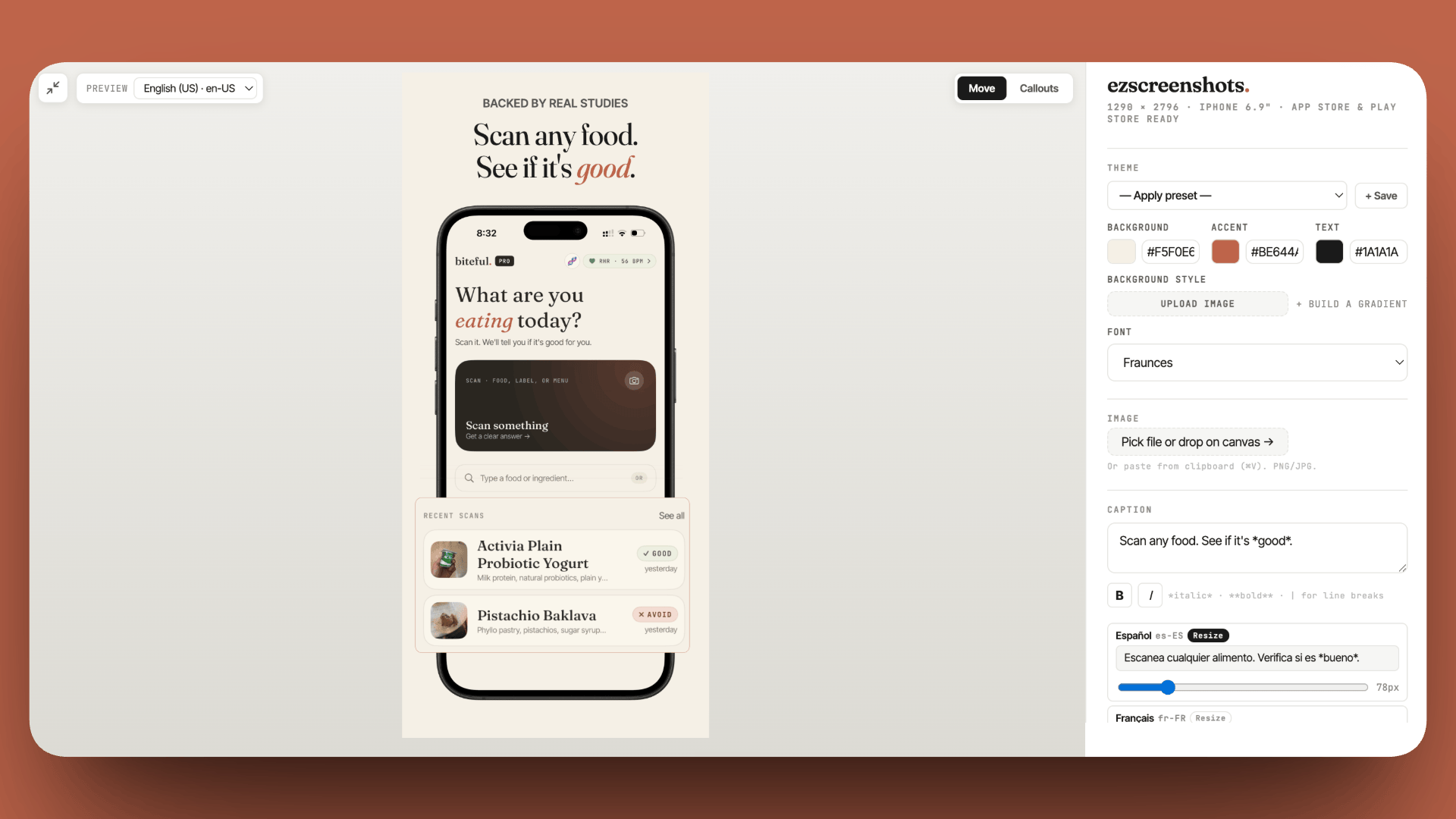
A/B testing your screenshots with Product Page Optimization
Product Page Optimization (PPO) lets you test up to three screenshot treatment variants against your default, with Apple splitting traffic automatically and reporting conversion results. It's free, requires no external tools, and runs entirely within App Store Connect.
To use it: App Store Connect → your app → Product Page Optimization → create a treatment → upload alternative screenshots. Apple will split a portion of your organic search traffic between the control and treatment(s) and report which version converts better.
The catch: PPO only runs on significant traffic. Low-volume apps may not reach statistical significance quickly. If your app gets fewer than a few thousand impressions per week, you'll need to run the test for several weeks before results are meaningful. But even directional data — "treatment B got 15% more taps in week 1" — is more useful than guessing.
Better screenshots = better ASO
Conversion rate is a ranking signal. A polished first screenshot improves tap-through from search results, which feeds back into organic rank. ezscreenshots makes the whole process — design, localize, export — take minutes instead of hours.
Try it free →Summary
- Organic discoverability is harder in crowded categories due to expanded ad slots — this is real
- ASO as a discipline is more important than ever because conversion rate is now a ranking signal
- Still works: mid-tail keywords, localization, ratings velocity, screenshot conversion optimization
- Largely dead: keyword-stuffed app names, incentivized reviews
- Screenshots are the highest-leverage element — they drive conversion, conversion drives rank, rank drives more installs
- Custom Product Pages let you separate organic optimization from paid campaign optimization
- Product Page Optimization lets you A/B test screenshots inside App Store Connect for free