Why bother with localized screenshots?
App Store visitors in France, Germany, and Japan see your screenshots before they read a single word of your description. If your captions are in English and they're browsing in French, you're already losing them — the App Store shows localized screenshots when they exist, and English-only when they don't. For competitive categories, that gap in first impression matters.
The ASO case is clear: localized product pages consistently outperform English-only ones in non-English markets. The barrier isn't translation — AI handles that well enough today. The barrier is workflow: once you've got 5 screenshots × 8 languages, any copy change means touching 40 files. Unless you've set up a system that avoids that.
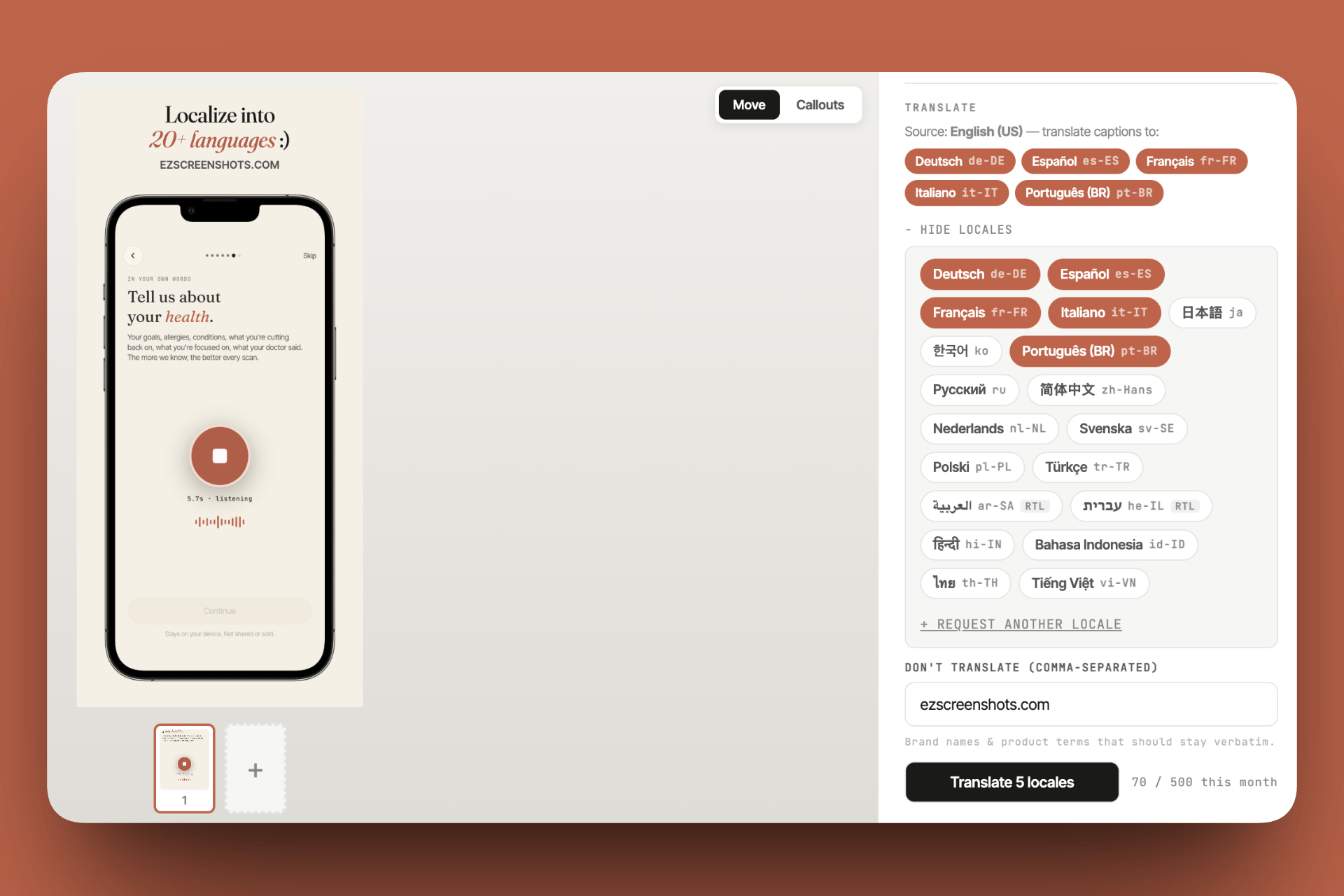
ezscreenshots was built to solve exactly this — translate all captions across all screens in one step, preview each locale, and export a ready-to-upload zip. But the workflow principles apply regardless of which tool you use.
The two parts of screenshot localization
Part 1: Localizing your app's UI (the screenshots themselves)
If your app is already localized — meaning the UI text is in the user's language — then your raw screenshots will be in that language too. Take your Simulator screenshots with the device set to the target locale, and the UI text is automatically in the right language.
This is the "right" approach for apps that are fully localized. Your screenshots show real, in-language UI because the app actually speaks that language.
The catch: not every app is fully localized, and even apps that are may not want to bother taking Simulator screenshots in 10 different locales just to get caption text translated. Which brings us to part 2.
Part 2: Localizing your marketing captions
Most App Store screenshots have a marketing layer on top of the raw app screen — a bold headline, a short subtitle, a background color. This marketing text is what needs to be translated. The underlying app screenshot can often stay the same.
This is the workload most developers are actually facing: English captions designed once, needing translation to 5–10 languages, without the underlying screenshot changing. Apple's screenshot specifications require separate localized sets per locale when you want language-specific assets — but the underlying device size requirements are the same for every locale.
Translation quality: AI is good enough (with caveats)
The developer community is split on AI translation — some find LLMs perfectly adequate for App Store caption copy; others have had users point out awkward phrasings. The reality is nuanced:
- Short marketing copy translates well. "Track your expenses in seconds" is a simple sentence with clear intent. LLMs handle these accurately across all major languages.
- Tone matters more than accuracy. A technically correct translation can still feel stilted. For Japanese and Korean in particular, the formal/informal register choice matters — give the AI context about your app's tone ("casual, friendly, aimed at young professionals") and it improves noticeably.
- Native review is worth it for your top markets. If 30% of your users are in Germany, get a native speaker to review your German captions. For long-tail markets, AI is fine.
- Iterate per language, not all at once. Translating all 10 languages in one AI prompt produces mediocre results. Starting a fresh conversation with context for each language produces noticeably better output.
The overflow problem
German and Finnish words are long. Arabic and Hebrew run right-to-left. Thai has no spaces between words and breaks differently. A caption that fits in two clean lines in English might need four lines in German and one in Japanese.
This is the real reason localization workflows fail: translation happens, but nobody previews the layout. The exported screenshots go live with truncated text or awkward line breaks, and nobody notices until a German user files a review complaint.
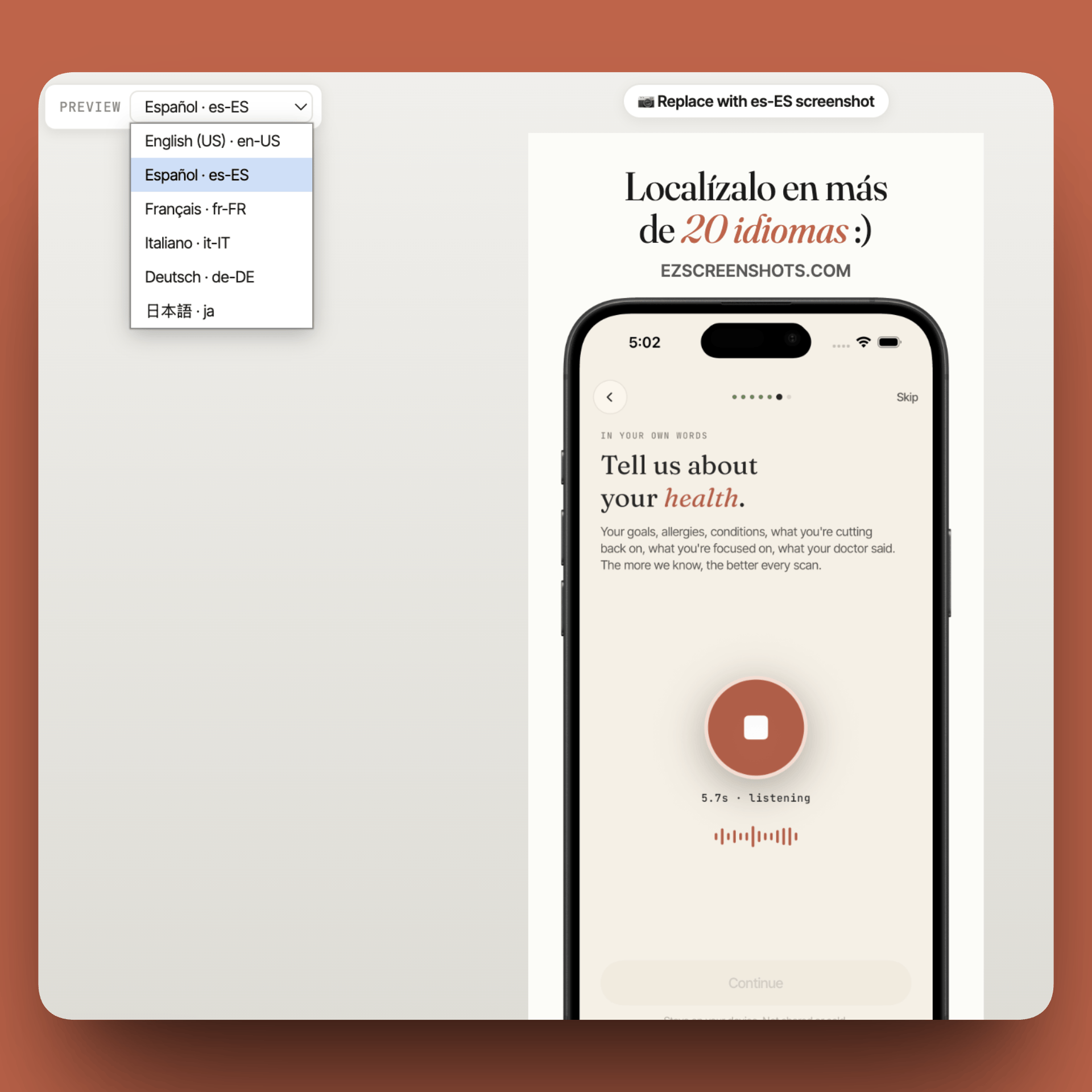
The fix is simple: preview every locale in the actual layout before exporting. In ezscreenshots, the locale preview shows you exactly what each language looks like in the canvas — so you catch "Spanish title wraps to three lines" before it ships, not after.
A practical localization workflow
This workflow works whether you use ezscreenshots, Figma, or a code-based approach:
- Lock your English design first. Don't start translating until the English captions are final. Any English copy change means re-translating everything, so get approval before you touch localizations.
- Pick your target languages strategically. Don't try to launch in 20 languages at once. Start with where you have real demand or organic installs: check App Store Connect analytics for which countries are already finding your app. Those are your first localization targets.
- Translate with AI, provide context. Paste your caption copy into Claude, ChatGPT, or use the built-in translation in ezscreenshots. Include context: what the app does, your target audience's tone, any brand-specific terms to leave untranslated.
- Preview every locale in the layout. Don't export blind. Switch to each language in your design tool or preview panel and verify text fits. Fix any overflow before the next step.
- Get native review for top markets. For any market driving >10% of your installs, a 15-minute review from a native speaker is worth it. Developer communities (including subreddits like r/iOSProgramming) often have native speakers who'll help.
- Export and organize by locale. App Store Connect expects screenshots organized per locale. A clean folder structure —
screenshots/en-US/,screenshots/de-DE/,screenshots/fr-FR/— makes bulk upload manageable.
Keeping localizations in sync after updates
The one-time setup is the easy part. The hard part is staying in sync after your English captions change — which happens every time you ship a significant UI update, run a new A/B test, or refresh your marketing copy for a seasonal push.
The pattern that works best:
- Treat English as the source of truth. Never edit translated captions directly — always edit English first, then re-translate. This keeps the workflow unidirectional and avoids version drift.
- Re-translate selectively. If only frame 3's caption changed, only re-translate frame 3. Don't re-run the whole set just because one string changed.
- Version your screenshot projects. Save your ezscreenshots project (or Figma file) with a date stamp after each release —
screenshots-v4-2026-05.zip. If a localization breaks, you can roll back to the last known-good version.
Which languages are worth it?
Short answer: start with the languages where App Store search volume is high and competition for localized screenshots is low. That's usually:
| Priority | Languages | Why |
|---|---|---|
| Tier 1 | German, French, Spanish, Italian | Large App Store markets, high purchasing power, many apps skip localization here |
| Tier 2 | Japanese, Korean, Simplified Chinese | Enormous markets but require more localization care — especially Japanese, where tone and formality matter a lot |
| Tier 3 | Portuguese (Brazil), Russian, Arabic | Growing markets; Arabic requires RTL layout handling |
Check your App Store Connect analytics before deciding. If you're already getting organic installs from Japan, Japanese localizations will pay off immediately. If you're not, tier 1 European languages are a safer starting point.
RTL languages (Arabic, Hebrew)
Right-to-left languages need special handling. The text direction flips, which can break your caption layout if your tool doesn't handle it. A few things to check:
- Does your tool render RTL text with correct directionality (right-aligned, reading right-to-left)?
- Does the layout feel mirrored, or does it try to force LTR alignment on RTL text?
- Preview RTL locales carefully — overflow issues appear in different places than LTR languages.
When in doubt, have a native Arabic or Hebrew speaker review the exported screenshots. Visual layout errors are obvious to native readers and easy to miss for everyone else.
Localize in minutes, not hours
ezscreenshots translates all your captions across all screens at once — 20+ languages, with a per-locale preview so you catch overflow before you export.
Try it free →Summary
- Two parts: localizing app UI (full localization) vs. localizing marketing captions (faster, works even without a fully-localized app)
- AI translation is good enough for short marketing copy — provide context about tone, iterate per language, get native review for top markets
- Always preview before export — overflow is invisible until you look at it in the actual layout
- Start small: tier 1 European languages first, then expand based on where installs are already coming from
- Keep English as source of truth — never edit translations directly, always re-translate from updated English