The decision every Flutter dev hits eventually
You've built the app. It works. Now you need to charge for it. Flutter gives you two main paths: in_app_purchase (the official Flutter plugin, wrapping StoreKit on iOS and Google Play Billing on Android) or RevenueCat (a third-party SDK that wraps both stores behind a unified API).
The community's answer, after years of shipping both, is almost unanimous: use RevenueCat unless you have a specific reason not to. But "just use RevenueCat" skips the reasoning — and understanding why it wins matters when you're deciding whether its 15-second setup or its $119/month pricing tier applies to your situation.
Once your monetization is working, the next conversion lever is your App Store listing. A paywall that converts 3% of users is only as valuable as the screenshot set that convinced those users to install in the first place — which is what ezscreenshots is built for.
What you're actually dealing with: the subscription complexity problem
Both stores have subscription APIs that look manageable on paper and turn out to be genuinely complex in practice. The things that aren't obvious from the docs:
- Receipt validation — verifying that a purchase is real (not replayed or spoofed) requires server-side validation. iOS and Android use completely different receipt formats and validation endpoints.
- Subscription state — active, expired, in grace period, in billing retry, cancelled-but-access-until-period-end, paused (Android only), refunded. All eight states need to be handled correctly or users get locked out / get free access they shouldn't have.
- Cross-device restore — a user reinstalls the app or gets a new phone. Restoring their purchase requires calling the store's restore API, parsing the response, and reconciling it with your backend state.
- Platform divergence — Apple and Google handle billing differently at almost every level: trial periods, upgrade/downgrade logic, proration, cancellation timing. Writing a cross-platform subscription layer from scratch means implementing all of this twice.
This is the context for evaluating both options. in_app_purchase exposes the low-level store APIs. RevenueCat abstracts them.
Option 1: Flutter's in_app_purchase package
The in_app_purchase package is the official Flutter plugin maintained by the Flutter team. It wraps StoreKit 2 on iOS and Google Play Billing on Android behind a unified Dart API.
What it gives you
- Direct access to the native billing APIs — no third party in your stack
- No monthly cost (the package is free)
- Full control over purchase flow, UI, and state management
- No data leaving your app to an external service
What it doesn't give you
- Server-side receipt validation — you still need to build this yourself (or accept client-side validation, which is insecure)
- Subscription state management — the package fires purchase events; tracking state across grace periods, retries, and cross-device restores is your problem
- Analytics — no MRR, churn, trial conversion, or LTV data out of the box
- Paywall UI — you build the paywall from scratch (see the RevenueCat paywall setup guide for the full implementation path)
The honest developer take
One developer in the Flutter community summarized it well: "I used in_app_purchase in my last job and it was pretty complex. However, that complexity is just from doing it the first time. Now I'd happily use it again — but if you're an indie dev, RevenueCat would save you much more time."
The package is genuinely usable and many production apps are built on it. The complexity is front-loaded: once you've implemented receipt validation, subscription state, and restore logic once, maintaining it is straightforward. The problem is that "implementing it once" takes several days of careful work that most solo developers would rather spend on the product.
Option 2: RevenueCat
RevenueCat is the subscription infrastructure layer that most indie Flutter developers end up using. It wraps StoreKit 2 and Google Play Billing behind a unified SDK, handles server-side receipt validation on its own backend, and provides a dashboard with subscription analytics.
What it gives you
- Unified API — one Dart SDK, same API on iOS and Android. Purchasing, restoring, and checking entitlements works identically on both platforms.
- Server-side receipt validation handled for you — RevenueCat validates receipts against Apple and Google's servers and maintains the canonical subscription state. You query RevenueCat's SDK for the current entitlement; you don't build the validation logic yourself.
- Subscription state machine — grace periods, billing retry, paused subscriptions, cancellations, refunds — all handled and exposed through a simple
CustomerInfoobject. - Analytics dashboard — MRR, ARR, churn, trial starts, trial conversions, LTV by product. This data is otherwise hard to assemble, especially cross-platform.
- Pricing experiments — A/B test different price points or trial lengths natively, without App Store or Play Console A/B infrastructure.
- Grandfathering — users on a legacy price point keep their rate as long as they stay subscribed. This is genuinely difficult to implement yourself.
What it costs
RevenueCat's pricing is usage-based. The free tier covers apps with under $2,500 MTR (monthly tracked revenue). Above that, it's $119/month for up to $10k MTR, then percentage-based at higher tiers. For most indie developers who are pre-revenue or early-revenue, the free tier covers everything. The pricing only becomes relevant when you're already making meaningful money — at which point the cost is easily justified.
The one real concern: third-party dependency
The main objection to RevenueCat is the dependency risk: you're trusting a third party with your billing layer. This concern is reasonable. Mitigations: RevenueCat has been around since 2017 and is the dominant tool in this space, which means it's unlikely to disappear suddenly. Their SDK is also open source, and your subscription data is accessible via their API — migration away is possible, just painful. For most indie apps, the dependency risk is much lower than the risk of a buggy DIY subscription implementation.
The quick setup comparison
| Factor | in_app_purchase | RevenueCat |
|---|---|---|
| Time to first purchase | 2–4 days (iOS) + same again for Android | ~2 hours for both platforms |
| Server-side validation | You build it | Included |
| Cross-platform parity | Manual — different APIs per platform | Unified SDK, same calls everywhere |
| Subscription state handling | You build the state machine | Included (CustomerInfo object) |
| Analytics / MRR dashboard | None (build or use RevenueCat anyway) | Included |
| A/B price testing | Not available | Built-in experiments |
| Cost | Free | Free under $2,500 MTR; $119/mo above |
| Third-party dependency | None | Yes (billing layer) |
What about Superwall?
Superwall is a different category of tool — it's a paywall A/B testing platform rather than a subscription management SDK. It handles the paywall UI and experiment logic, but typically sits on top of RevenueCat (which handles the actual billing). They're complementary, not competing. Most indie Flutter devs don't need Superwall until they're deep in paywall optimization; RevenueCat alone is sufficient for most subscription implementations.
The minimal RevenueCat setup for Flutter
The full RevenueCat Flutter quickstart is in their official docs, but the core flow is straightforward:
- Add
purchases_fluttertopubspec.yaml - Configure your products in App Store Connect and Google Play Console (you still do this directly in each store)
- Add products to RevenueCat dashboard and map them to entitlements
- Initialize the SDK at app startup:
await Purchases.setup('your_api_key') - Check entitlement status:
await Purchases.getCustomerInfo()— this is the single call you use to gate content - Trigger purchase:
await Purchases.purchasePackage(package)
Receipt validation, state tracking, restore, and analytics are all automatic after step 4.
One gotcha worth knowing: privacy policy requirements
Both Apple and Google require you to disclose all third-party SDKs that collect data. RevenueCat collects purchase data by design — make sure your privacy policy includes the relevant disclosures. RevenueCat's docs have a section on what to add. This is an easy step to forget that can cause App Store review rejection.
Once your subscriptions are live, the listing is the bottleneck
RevenueCat's paywall converts a percentage of users who make it to the paywall. But the bigger conversion funnel starts in the App Store: what percentage of people who see your listing tap through to install? A paywall that converts 10% of users is irrelevant if only 5% of searchers install in the first place.
The first screenshot in your App Store listing is where the install decision starts. It needs to communicate the outcome your app delivers — what changes for the user — not just describe the app's features. ezscreenshots makes it fast to get this right: drop in your Simulator screenshot, add a benefit-focused caption, export at the correct dimensions for your device targets. The same ten minutes you'll spend setting up RevenueCat will produce a screenshot that compounds every day the listing is live.
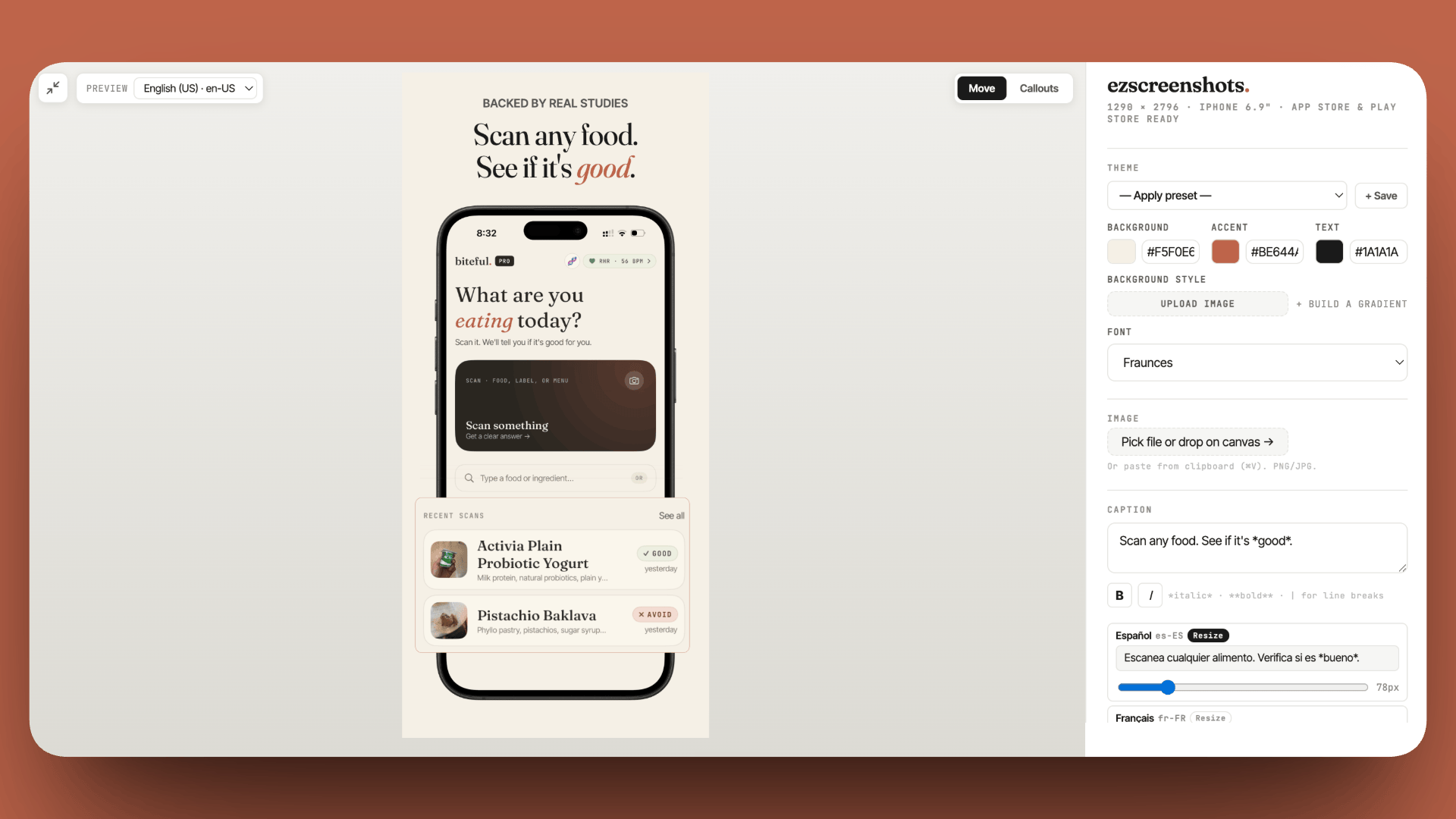
Get your App Store listing ready before you launch subscriptions
RevenueCat handles the billing. ezscreenshots handles the first impression. Drop in your Simulator screenshot, add an outcome-focused caption, export at the right dimensions. Free, no account needed.
Try ezscreenshots →Summary
- Use RevenueCat for almost every Flutter subscription app — the setup time difference (hours vs days), included receipt validation, unified cross-platform API, and analytics dashboard make it the right default for solo developers
- in_app_purchase makes sense when: you have an existing backend for server-side validation, strong privacy requirements, or have already built subscription logic before
- RevenueCat pricing: free under $2,500 MTR — the cost only activates when you're already making real money
- Superwall is complementary, not competing — it's a paywall UI/experiment layer that typically sits on top of RevenueCat, not a replacement
- Key gotcha: add RevenueCat disclosures to your privacy policy before submitting to either store — it's easy to forget and can trigger a rejection
- Subscription state complexity is the main reason to use RevenueCat — grace periods, billing retry, paused subscriptions, and cross-device restore are all handled automatically
- The listing is the bottleneck above the paywall — RevenueCat optimizes conversion inside your app; your App Store screenshots drive the installs that reach the paywall in the first place