Two different problems, often conflated
Before comparing tools it's worth separating two things that get called "screenshot tools":
- Screenshot capture tools — take a screenshot of your screen, window, or region. CleanShot X, Greenshot, macOS built-in. These produce raw PNG files.
- Screenshot marketing tools — take a raw screenshot and turn it into a polished App Store asset with a background, caption, device frame, and correct export dimensions. This is what App Store developers actually need.
Most comparisons mix these two categories. A raw capture tool can't help you produce an App Store screenshot; a marketing tool assumes you already have the raw capture. This post focuses on category 2: tools that help you go from raw Simulator screenshot to App Store-ready export.
The tool categories
Free: Fastlane frameit
Fastlane frameit is the original open-source solution. It applies device frames around your raw screenshots and optionally overlays text from a JSON config. Free, command-line driven, integrates into a CI pipeline.
Best for: Developers already using Fastlane for deployment, with 6+ localizations and frequent releases. The design ceiling is low — text styling options are limited, and every change is a config edit — but the automation value is real when you have many locales to maintain.
Not great for: Anyone who wants design flexibility, perspective effects, gradient backgrounds, or callout overlays. Also not great if you don't have a Fastlane setup already — the tool earns its keep as part of a larger pipeline, not standalone.
See the full breakdown in how to automate App Store screenshots.
Free: ezscreenshots
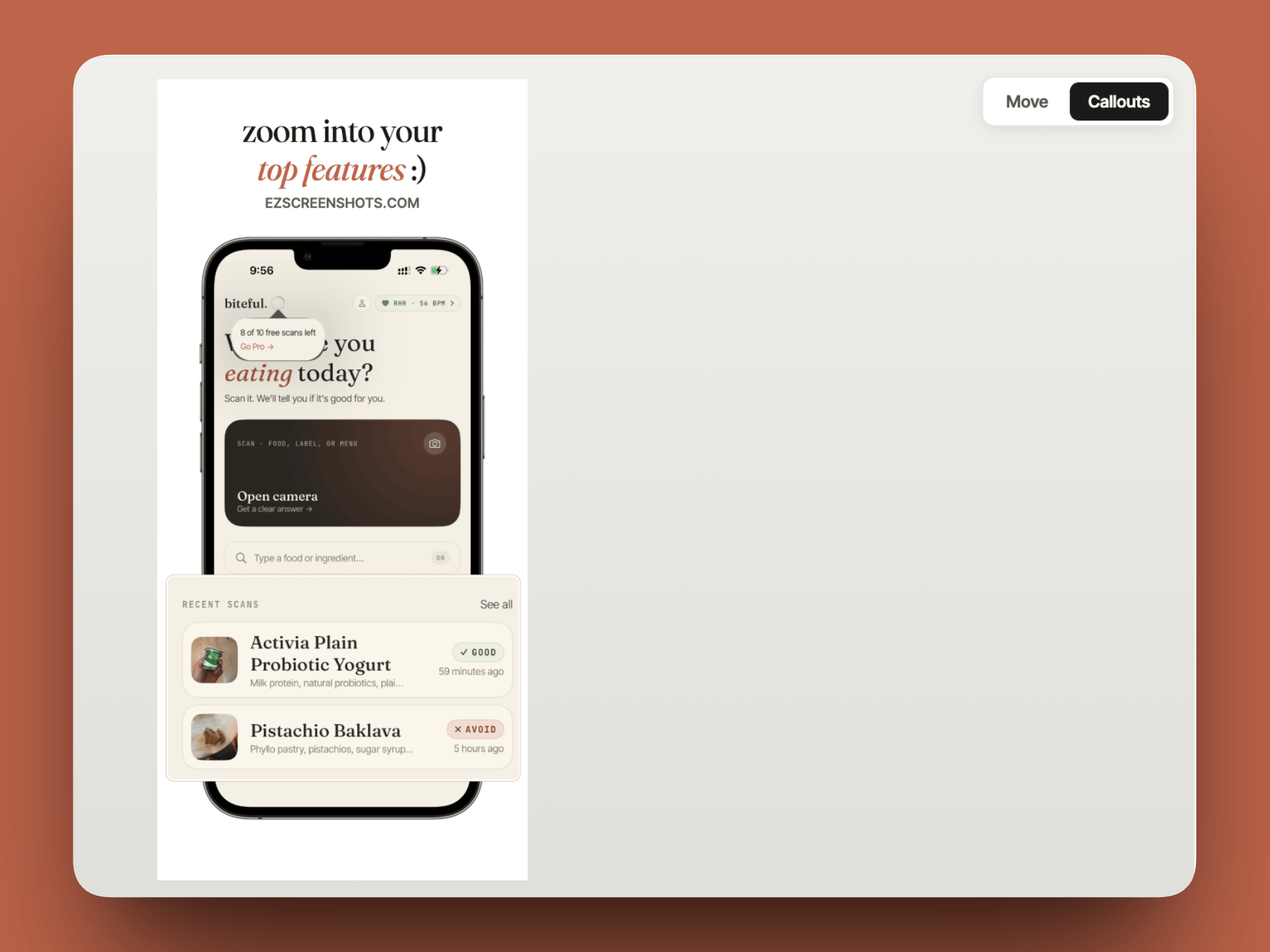
ezscreenshots is browser-based and free to use with no account required. Drop in a raw screenshot, pick a background and font, add a caption, apply a device frame, and export at the exact right dimensions for any App Store or Play Store slot. Localization is built in — add languages, translate captions with AI, preview each locale, export a localized zip.
Best for: Solo developers and small teams who want polished results without code. No setup, no account, no subscription required for core features. Works on any OS since it runs in the browser.
Not great for: Fully automated CI pipelines — ezscreenshots is a visual tool that expects a human in the loop for design decisions. If you need screenshots to regenerate automatically on every build, Fastlane is the right tool.
Free tier: AppMockUp
AppMockUp has a free editor for creating individual screenshots with device frames and backgrounds. Their paid plans ($8–$199 per template pack) unlock premium templates and batch export features.
Best for: Developers who want premium pre-designed templates and are willing to pay per template. The free tier is functional but limited in export options.
Not great for: Budget-conscious developers — premium templates add up quickly. Also no built-in localization workflow.
Paid: AppLaunchpad
AppLaunchpad is the most established paid tool in the space. Strong template library, device frame collection, localization support. Subscription-based pricing.
Best for: Teams that want a rich template library as a starting point and are comfortable with a subscription. The onboarding flow requires creating a project before you can start — more structured than browser-first tools.
Not great for: Developers who want to jump straight in without setup. Also more expensive than most solo developers need for occasional use. See the full AppLaunchpad vs ezscreenshots comparison.
Paid: Previewed
Previewed focuses on animated mockups — it generates short video loops of a device mockup displaying your app. Useful for social media and landing pages, not specifically for App Store screenshot exports.
Best for: Marketing assets beyond the App Store — social ads, product hunt posts, landing page hero images. Not primarily an App Store screenshot tool.
Not great for: Pure App Store screenshot production. The tool is optimized for visual assets, not bulk App Store-compliant exports at specific dimensions.
Paid: Screenshots.pro
Screenshots.pro is an App Store screenshot maker with a template library and device frame overlays. Subscription-based.
Best for: Developers who want a structured template-based workflow with a moderate price point.
Not great for: Developers who want to start from scratch with a custom design rather than adapting a template.
General purpose: Figma (free tier + paid)
Figma isn't a dedicated screenshot tool, but many teams use it for App Store screenshot design — especially teams that already have designers or Figma workflows for UI design. The free tier covers 3 projects with unlimited collaborators.
Best for: Teams with designers, complex layouts, or component-driven workflows where the screenshot design system is shared with the broader product design work. Variable-driven text makes localization manageable at scale.
Not great for: Solo developers without design experience. Figma's power comes with complexity — building a screenshot system from scratch in Figma takes significantly more time than using a dedicated tool. Also produces no automation.
Side-by-side comparison
| Tool | Price | Browser-based | Localization | Automation | Design flexibility |
|---|---|---|---|---|---|
| ezscreenshots | Free (Pro optional) | Yes | AI translation built in | Manual | High |
| Fastlane frameit | Free | No (CLI) | Via native strings | Full CI automation | Low |
| AppMockUp | Free + paid templates | Yes | Limited | Manual | Medium (templates) |
| AppLaunchpad | Subscription | Yes | Yes | Manual | Medium-High |
| Previewed | Subscription | Yes | Limited | Manual | High (animated) |
| Figma | Free tier + paid | Yes | Via variables | Manual | Very high |
What actually matters for App Store conversions
The tool is a means to an end. What actually drives downloads from your App Store listing is the quality and message of the screenshots — not which tool produced them. A few things that are more important than tool choice:
Your first screenshot is 80% of the work
App Store search results show your icon and the first screenshot (on some devices, the first two). The vast majority of users make the tap decision before expanding the listing. Your first screenshot should make your value proposition undeniable in two seconds. Every other screenshot is supporting detail.
A strong caption beats a beautiful background
Developers consistently over-invest in visual polish and under-invest in copy. A plain background with a crisp, specific benefit ("Log a workout in 8 seconds") converts better than a gorgeous gradient with vague copy ("The best fitness app"). Write your captions first, then design around them.
Consistency across the set signals quality
Matching backgrounds, consistent font choice, and a clear visual narrative across all 5–10 screenshots signal a polished product. Mismatched styles — screenshot 1 in dark mode, screenshot 3 in light mode, different fonts — suggest the app itself is inconsistent.
The decision framework
Pick your tool based on your situation:
| Situation | Best fit |
|---|---|
| First app, launching soon, want something fast | ezscreenshots — zero setup, start in a browser now |
| 6+ locales, frequent releases, have CI already | Fastlane frameit (or snapshot + visual tool for compositing) |
| Want premium design templates as a starting point | AppLaunchpad or AppMockUp paid tier |
| Team with a designer, complex layout requirements | Figma |
| Need animated mockups for social/landing page | Previewed |
| Publishing on both iOS and Android from one tool | ezscreenshots (has both iPhone and Android presets) |
Start in a browser, ship today
Drop in a screenshot, add a caption and background, export at the right dimensions. No account, no subscription, no setup. For both App Store and Play Store.
Try ezscreenshots free →Summary
- Two categories: raw capture tools (CleanShot X, Greenshot) vs marketing tools (everything else in this post) — make sure you're comparing the right thing
- Free and capable: ezscreenshots (browser, AI localization, no setup) and Fastlane frameit (CLI, CI automation, low design ceiling)
- Paid and worth it if: you want templates (AppLaunchpad, AppMockUp), animation (Previewed), or team collaboration (Figma)
- What actually matters: your first screenshot's message, caption copy, and visual consistency — not the tool that produced them
- Decision shortcut: launching soon? Start with ezscreenshots. 6+ locales with CI? Fastlane. Team with a designer? Figma.