The problem that makes automation tempting
A developer recently shared their setup on r/iOSProgramming: 4 languages × 8 screenshots = 32 images, add iPad and it's 64. Every UI change or copy tweak means touching all of them. They wrote a Python script using Fastlane for UI capture and Pillow for compositing — and open-sourced it. Reasonable solution to a real problem.
But replies immediately raised the question: why not just use Fastlane's built-in frameit? Or a browser-based tool? The thread surfaces the same tradeoffs that come up every time this topic appears. Let's go through them honestly.
Three approaches, three different tradeoffs
Approach 1: Fastlane snapshot + frameit
Fastlane is an open-source automation toolkit for iOS and Android. Its snapshot action drives the iOS Simulator through UITest scripts and captures screenshots at every locale. Its frameit action composites those captures into device frames with optional title overlays. For a detailed breakdown of snapshot's setup cost and when it's worth it, see our fastlane screenshots guide.
The full pipeline looks like:
- Write UITest scripts that navigate to each screen you want to capture
fastlane snapshotruns those tests across all Simulator locales and saves raw PNGsfastlane frameitapplies device frames and text overlays from aFramefile.jsonconfigfastlane deliveruploads everything to App Store Connect
Real advantages:
- Truly hands-off once set up — run one command, get a full localized set uploaded
- Screenshots always show live, current app data (no stale UI)
- Adding a new locale is one config line, not a manual design session
- Integrates with CI — screenshots can regenerate on every release build
Real costs:
- Setup time is significant. Writing reliable UITest scripts for screenshot capture is not the same as writing feature tests. The scripts need to navigate to exactly the right state, wait for async loads, dismiss popups, and land on a camera-ready screen — for every locale. Most developers report 1–2 full days of setup for a moderately complex app.
- Fastlane's text styling is limited. You can't bold specific words in a title — only the whole string. Custom fonts require workarounds. The design ceiling is lower than a visual tool.
- Simulator runs take time. Running snapshot across 6 locales and 2 device sizes can take 4–5 hours in CI. Fine for weekly releases; painful if you're iterating quickly.
- frameit is showing its age. The tool works but hasn't been actively developed for a while. Device frame assets require manual updates as new iPhone models ship.
Right for: Apps with 6+ localizations, frequent UI changes, and an existing CI pipeline. The per-update time savings compound once setup cost is amortized.
Approach 2: Custom script (Python + Pillow)
The developer in the original post took Fastlane's raw screenshot output and wrote their own Python compositing layer using Pillow instead of frameit. This gives full control over the design — custom fonts, arbitrary layouts, per-locale title text from JSON config, gradient backgrounds, text shadows.
The architecture they described:
- Fastlane snapshot → raw locale-organized PNGs
- Python script reads raw PNGs + locale JSON files
- Pillow composites: device frame + screenshot + background + title text
- Output: App Store-ready PNGs per locale
- Fastlane deliver uploads them
Advantages over frameit: Complete design control. Can produce results that look as polished as any visual tool. Fully version-controlled — every design decision is in code.
Additional costs over frameit: You're now maintaining a custom image processing script in addition to UITest scripts. Pillow's text rendering has edge cases around font hinting, kerning, and Unicode that become real problems when you're rendering Japanese or Arabic captions. One comment in the thread flagged a gotcha: a Simulator device frame that too closely resembles an actual iPhone can get flagged by App Review under the guideline about not mimicking Apple UI.
Right for: The same situations as Fastlane, plus developers who want design control that frameit can't provide and are comfortable maintaining a small Python codebase.
Approach 3: Browser-based visual tool
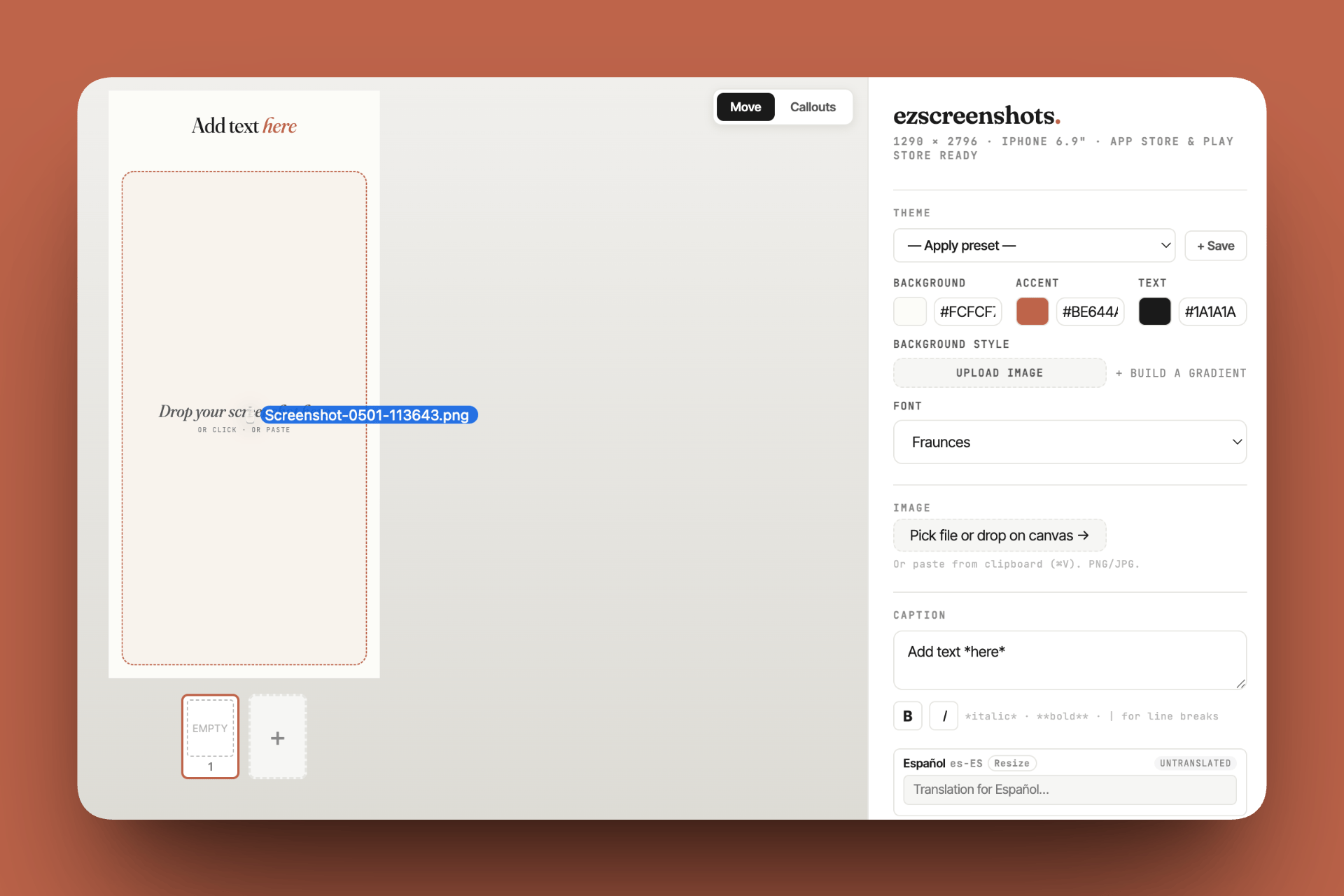
Tools like ezscreenshots skip the code entirely. You drag in a raw screenshot, pick a background and font, type a caption, and export. For localizations, you add languages, translate captions with one click, preview each locale in the editor, and export a localized zip.
Advantages:
- Zero setup — open in a browser and start
- Full design control (fonts, backgrounds, device frames, perspective effects, callout overlays)
- Localization preview catches overflow before export
- No UITest scripts to write or maintain
- Design changes are immediate — tweak a caption, see it, export
Costs:
- Not fully hands-off — you're still involved in each export cycle
- Doesn't capture live app data automatically (you take raw screenshots manually first)
- Not plugged into CI — can't regenerate on every build
Right for: Solo developers and small teams who release infrequently (monthly or less), apps with a stable UI that doesn't change every update, and developers who want polished results without investing a day in setup.
The honest comparison
| Fastlane | Custom script | Browser tool | |
|---|---|---|---|
| Setup time | 1–2 days | 2–3 days | Minutes |
| Per-update time | ~0 (fully automated) | ~0 (fully automated) | 15–30 min |
| Design flexibility | Low (frameit limits) | High (code anything) | High (visual editor) |
| Live app data | Yes (Simulator capture) | Yes (Simulator capture) | Manual capture first |
| Maintenance burden | Medium (UITest upkeep) | High (UITests + script) | None |
| Localization handling | Good (native strings) | Good (JSON config) | Good (AI translation) |
| Breaks on Xcode update | Sometimes | Sometimes | Never |
When automation actually pays off
The break-even point for Fastlane automation is roughly: if you'd spend more than 8 hours per year manually updating screenshots, the 1–2 day setup is worth it.
For most solo developers, that math doesn't clear until you have:
- 6 or more localizations (each update × each locale adds up fast)
- An app with frequent UI changes — weekly or bi-weekly releases where the screenshots need to reflect current state
- An existing CI pipeline where Fastlane already runs tests (adding snapshot is incremental effort, not starting from scratch)
For a developer with 2–3 localizations who releases monthly with a stable UI, the manual workflow with a visual tool is faster in total time — including the time not spent debugging UITest flakiness and Xcode Simulator oddities.
A hybrid approach worth considering
One pattern that works well in practice: use Fastlane for raw screenshot capture (it's reliable for this, and running snapshot without frameit is straightforward), then import those raw captures into a visual tool for compositing.
You get the "live app data" benefit of Fastlane — your screenshots always show the current, real UI — with the design flexibility and zero maintenance of a visual editor. The raw captures are just images; you drag them into ezscreenshots, your saved theme applies instantly, and you export.
Screenshots without the pipeline
Drop in a raw Simulator screenshot, add your caption and background, export at the right dimensions. For most apps, this is faster than setting up Fastlane — and the results look better than frameit.
Try it free →Summary
- Fastlane snapshot + frameit: fully hands-off, but 1–2 days to set up, limited design, UITests need maintenance. Worth it at 6+ locales with frequent releases.
- Custom Python script: full design control on top of Fastlane's capture, but highest maintenance burden. Worth it if frameit's design ceiling is too low for your needs.
- Browser-based visual tool: zero setup, full design flexibility, 15–30 min per update cycle. Right for most solo developers.
- Hybrid: Fastlane for capture, visual tool for compositing — gets you live app data with zero design compromise.
- Break-even for Fastlane: roughly 6+ locales with frequent UI changes. Below that, manual is faster in total time.