The 48-signups-zero-revenue problem
A developer posted on r/indiehackers about launching a social media scheduling tool. First two weeks: 40 signups, zero paying customers. The product worked. The traffic was real. But nobody was paying.
Two weeks of zero revenue is brutal. The instinct is to assume the product is wrong and start rebuilding. Almost always, that's the wrong diagnosis. The developer resisted it, changed two things, and went from zero revenue to 5 paying customers in a week.
The two changes: a headline rewrite and a 30-second screen recording. Neither required touching the product.
Change 1: The headline shift from features to outcomes
The original headline described the product: "Publish on 13 platforms from one chat." That's accurate. It's also exactly what most developers write — a clear statement of what the product does.
It produced 40 signups over two weeks. Then the developer experimented: rewrote the headline to focus on the technology. Zero signups for an entire week. Same traffic, same product, different sentence.
Then the third version: "Your social media. Done in 30 seconds." Eight signups the same night.
The difference between the first and third headline isn't clarity — both are clear. The difference is whose perspective they're written from. The first headline is written from the product's perspective ("here's what this tool does"). The third is written from the user's perspective ("here's what changes for you").
Features describe the mechanism. Outcomes describe the result the user will experience. People don't buy mechanisms — they buy results they can imagine themselves having.
Change 2: A 30-second unedited demo video
After the headline fix, signups improved — but the developer still had 48 signups and no paying customers. People were interested enough to create an account, not interested enough to pay.
The fix: a 30-second screen recording. No script, no editing. Just the developer typing into the chat interface, posts going live on Twitter, LinkedIn, and Instagram. The product doing the thing it claims to do, visible in real time.
Two paying customers within 48 hours. Three more the following week.
The comment thread explained why this works: "You can explain your product all day, but when people see it working, something clicks. 'Oh, it actually does that.' That's when they decide to buy." Another developer echoed it from their own experience: they'd written paragraphs explaining their macOS AI agent and got nothing. A 20-second clip of the agent navigating a desktop and filling out a form tripled signups that week.
The video doesn't need to be produced. It needs to be real. Overproduced demos with voiceovers and animations trigger skepticism — the viewer wonders if it would actually work for them. A raw screen recording of a real use case triggers belief.
Why this is the same problem as a weak App Store listing
Both patterns — feature-focused headline and no live demo — map directly onto the most common App Store listing failures.
The first screenshot as headline
Your first App Store screenshot functions exactly like a landing page headline: it's the first thing a potential user sees, and it determines whether they tap through. Most developers use it as a feature tour — showing the app UI with a caption that describes what a screen does ("Dashboard", "Track your habits", "See your stats").
The conversion equivalent of the headline rewrite: captions that describe the outcome, not the feature. "Log a workout in 8 seconds" converts better than "Workout tracker." "Never miss a bill again" converts better than "Bill reminders." The user is buying the result they'll experience — make that result explicit in the caption.
One commenter in the thread was building iOS apps alongside their SaaS and made exactly this connection: "I went through the exact same thing with my App Store listing. Changed the subtitle from describing what the app tracks to describing what changes for the user, and conversion improved noticeably."
This is what ezscreenshots is designed for: take your Simulator screenshot and add a benefit-focused caption — outcome language, not feature language — exported at the correct dimensions for every required device size. The caption placement in the top third ensures it's visible in search results before a user even taps through.
The App Preview video as demo
Apple lets you upload App Preview videos (15–30 seconds) that autoplay in App Store search results. They function identically to the demo video in the developer's story: people see the product working in real time, and that converts better than any screenshot.
App Previews are underused by indie developers — they require screen recording and basic editing, which feels like too much effort. But the conversion data is consistent: apps with a well-made App Preview video convert at higher rates than apps with screenshots alone. A raw, unedited Simulator recording that shows the core user flow in 20 seconds is better than no preview at all.
The broader pattern: messaging before distribution
The developer's story illustrates a pattern that shows up repeatedly across the indie developer community: distribution isn't the problem when conversion is the problem. Getting more traffic to a listing that doesn't convert produces more wasted traffic, not more downloads.
The order of operations that works:
- Fix the message first. Does your first screenshot caption describe an outcome the user wants, or a feature the product has? Does your subtitle answer "what changes for me?" in under 30 characters?
- Then measure conversion. App Store Connect shows product page conversion rate. What percentage of people who view your listing download? Below 20% on warm traffic (people who searched specifically for your app) is a signal the listing needs work.
- Then add distribution. Once you know your listing converts, adding Apple Search Ads, Reddit posts, or any other channel compounds. Without a converting listing, more traffic just means more wasted impressions.
The 48-signups-zero-revenue problem is a messaging problem disguised as a distribution problem. The App Store equivalent — lots of impressions, low conversion — is almost always the same thing.
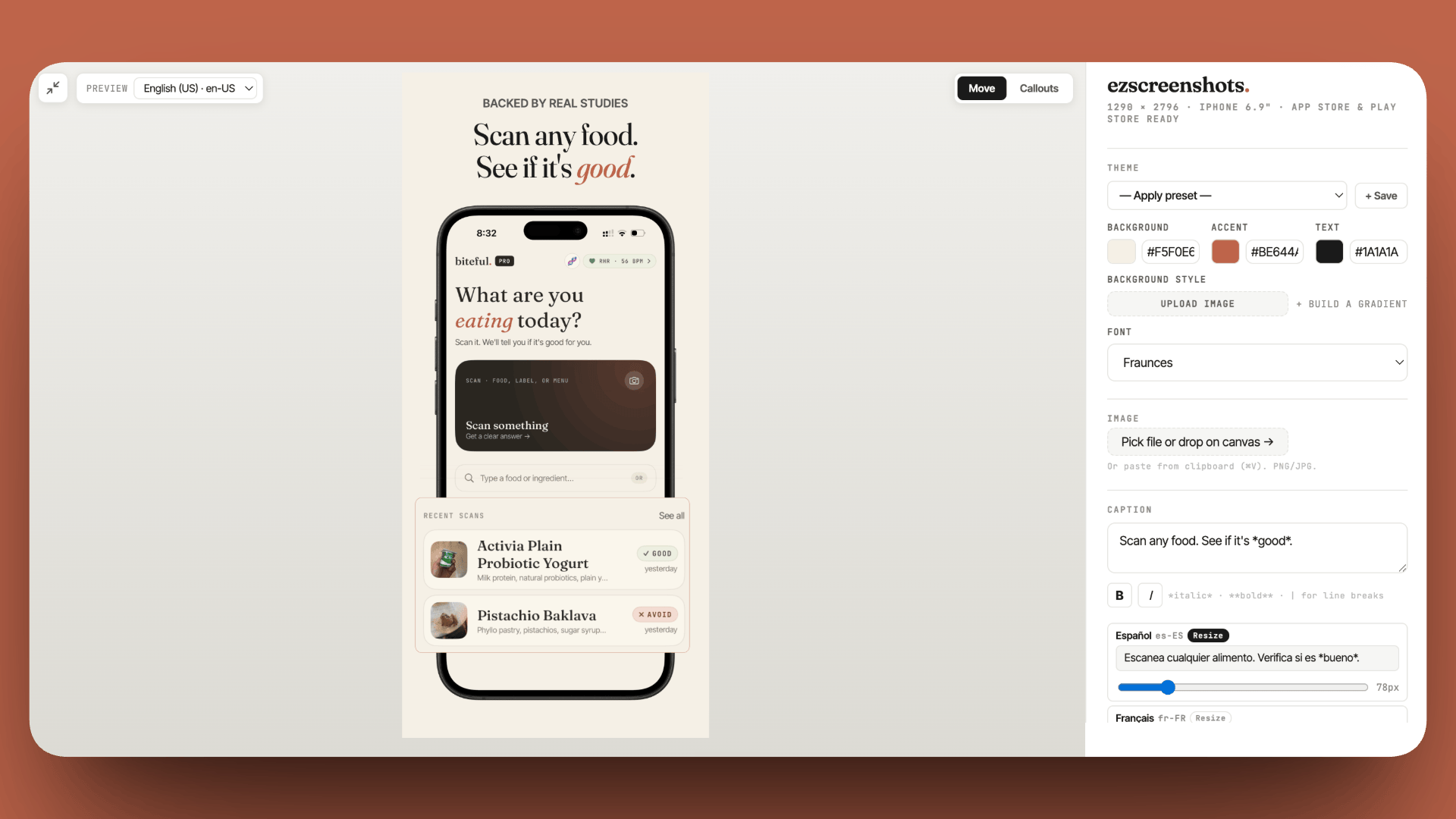
Rewrite your screenshot caption as an outcome
Change "Track your habits" to "Build a habit in 30 days." Drop in your Simulator screenshot, add the outcome-focused caption, export at the right dimensions. Free, no account needed.
Try ezscreenshots →Summary
- 48 signups, zero revenue is a messaging problem, not a product problem — fixing the message produced 5 paying customers without touching the product
- Outcome headlines convert; feature headlines explain. "Done in 30 seconds" (outcome) outperformed "Publish on 13 platforms" (feature) 8x on the same traffic
- A raw 30-second demo video — unscripted, unedited — converts better than polished copy because it answers "does this actually work?" with direct evidence
- App Store translation: first screenshot captions should describe the outcome ("Log a set in 8 seconds"), not the feature ("Workout tracker")
- App Preview videos are the App Store equivalent of the demo video — consistently improve conversion rate over screenshots alone
- Fix messaging before scaling distribution — more traffic to a non-converting listing produces more wasted impressions, not more downloads