Why paid ads fail before ASO is done
The pattern repeats constantly across developer communities: launch the app, run some Facebook or Google ads, watch the CPC climb to $3–8 per install, get a handful of downloads, earn nothing close to covering the spend, conclude "paid ads don't work for my app." Usually the conclusion is wrong. The sequencing is wrong.
Paid ads send traffic to your App Store listing. If the listing converts at 8% — meaning 8 out of every 100 people who see it install — you need to pay for 12.5 impressions per install. If it converts at 25%, you need 4 impressions per install. The CPC doesn't change; the effective cost-per-install drops by 3x. Paid ads aren't viable until your listing converts well enough to make the math work. The correct sequence is: fix the listing first, validate organic conversion, then scale with paid.
One developer with experience across hundreds of apps put it plainly in the thread: "Fix the foundation before spending a dollar. Most apps rush into ads before they even have the basics right. That's the mistake." ASO — particularly screenshots and subtitle — is that foundation.
Step 1: ASO — the only channel that compounds without spend
App Store Optimization is the one marketing channel where the work you do today keeps producing results indefinitely. A well-ranked keyword, a first screenshot that converts, a subtitle written in outcome language — these don't decay the way a paid campaign does when budget runs out.
The three ASO levers with the highest conversion impact, in order:
1a. Your first screenshot
The first screenshot is the highest-leverage element in your entire listing. It's visible in search results before a user even taps through to your page. It loads before any other content in most App Store contexts. And it's where most developers make the same mistake: using it as a feature tour ("See your stats", "Track your habits") instead of a conversion tool.
A conversion-optimised first screenshot has one job: answer "what changes for me if I install this?" in under five words. "Log a workout in 8 seconds" converts better than "Workout Tracker." "Know where every dollar went" converts better than "Budget App." The caption should be in the top third of the image so it's visible in the search result crop, high contrast on whatever background you use, and large enough to read at thumbnail size.
ezscreenshots is built for exactly this: drop your Simulator screenshot in, write the outcome-focused caption, export at the correct dimensions for every device you target. The same screenshot set also applies to your Product Page Optimization variants once you have enough traffic to test.
1b. Your subtitle (30 characters)
The subtitle is indexed by the App Store search algorithm and is visible directly below your app name in search results. Most developers waste it on taglines ("The best habit app!") or redundant descriptions of the category. Both miss the point.
The subtitle should contain your primary non-brand keyword and describe the core outcome. "Log habits. Build streaks." does three things: it contains indexable keywords, it communicates the core use case, and it answers what the app actually does. Study your top competitors' subtitles and look for gaps — keywords they're not using that your target users are searching.
1c. Keywords field and description
On iOS, the 100-character keyword field is only indexed (not visible to users) — use every character. Don't repeat keywords already in your title or subtitle; they're already indexed there. Avoid spaces between keywords where commas work instead (commas are separators, spaces create two-word phrases). On Google Play, keywords go in the description itself since there's no separate keyword field.
Check your conversion rate in App Store Connect (Impressions → Product Page Views → Downloads funnel) before moving to other channels. Below 20% on warm traffic means the listing isn't working. Fix it before adding distribution.
Step 2: Community channels (free, high-signal)
Once the listing converts reliably, community channels are the highest-quality source of early users — not because they scale, but because they produce real feedback and word-of-mouth that paid channels don't.
Reddit: problem-first, not product-first
The right approach to Reddit isn't posting "I made an app, check it out." It's finding threads where people are actively experiencing the problem your app solves and contributing a genuinely useful answer — then mentioning your app once if it fits naturally. The distinction between helpful-commenter-who-also-made-a-relevant-tool and spammer is obvious to readers and makes the difference between upvotes and bans.
Search strategy: use site:reddit.com/r/[subreddit] "[problem phrase]" in Google rather than Reddit's own search. You'll find threads where people describe your exact pain point, often with high recency. The people who posted those threads are mid-pain and responsive to a useful DM. This channel and the specific outreach sequence is covered in detail in our post on finding first users.
TikTok and Instagram Reels: show, don't describe
Short-form video is the most effective organic channel for consumer apps in 2026 — but only if the content shows the app working, not describes it. A 15-second clip of someone using the app to do the thing it claims to do, with a text overlay saying what just happened, outperforms any produced demo video. Raw screen recordings trigger belief; polished promo videos trigger skepticism.
The bar for going viral on TikTok is essentially "did this surprise the viewer in the first two seconds?" Utility apps that do something visually fast, satisfying, or unexpected have a natural advantage. If your app doesn't have an obvious "wow" moment, focus effort elsewhere — forcing short-form content on an app without a visual hook rarely pays off.
Micro-influencers over macro
A niche creator with 8,000 engaged followers in your exact target demographic consistently outperforms a generalist with 500,000 followers. The conversion rate on niche trust is higher, the cost is lower, and the feedback is more useful. Platforms like Collabstr and Afluencer list creators by niche and follower count. For productivity and utility apps, look for creators who already make content about the problem your app solves — not just content about apps in general.
The key technical requirement: use deep links (or at minimum UTM-tracked App Store links) so you can measure which creator drove installs. Without attribution, you're spending money and guessing at ROI.
Personal network (carefully)
Friends and family are useful for testing onboarding, finding bugs, and making sure the core flow works. They're not useful for validation — they'll tell you what you want to hear. Second-degree connections who happen to have the problem you're solving are different: they're real users who will give honest feedback. Ask for introductions specifically to people in your ICP, not general "tell everyone you know."
Step 3: Paid channels (after organic conversion is validated)
Paid channels make economic sense once you know your listing converts and you have a target CPI that works with your monetization math. The sequence:
Apple Search Ads (start here)
Apple Search Ads Basic is the lowest-friction paid entry point for iOS apps. You set a target CPI and a monthly budget; Apple handles bidding. The audience is the most qualified possible — people actively searching the App Store for your category. Start with Exact Match on your most important 5–10 keywords, set a daily budget of $5–10, run for two weeks, and measure CPI against your expected LTV. If the math is positive, scale. If not, the listing needs work before spend increases.
One thing Apple Search Ads won't do: improve your organic ranking. ASA installs are tracked separately and don't boost App Store search position. The organic and paid channels are independent — a common misconception that leads developers to over-invest in ASA hoping to lift organic too.
Meta / Google ads (later, with attribution set up)
Meta and Google ads reach broader audiences than App Store search but with lower intent. They work better for consumer apps with strong visual hooks (where video creative can do the job) than for niche utility apps. Require proper deep link tracking before spending: you need to know exactly which creative, audience, and placement drove installs and — ideally — downstream revenue.
The channel priority table
| Channel | Cost | Quality | When to use |
|---|---|---|---|
| ASO (screenshots, subtitle, keywords) | Time only | Very high — warm, searching users | First. Always. Before anything else. |
| Reddit community | Time only | High — mid-pain, self-selected | Early, ongoing. After listing is ready. |
| TikTok / Reels organic | Time only | Medium — depends on visual hook | If app has a demo-able wow moment. |
| Micro-influencer (paid) | $50–500/post | High for niche, low for general | After listing is validated. Niche-specific. |
| Apple Search Ads | $5–50+/day | Very high — searching users | After organic CPI is measured and acceptable. |
| Meta / Google ads | Variable | Lower intent than ASA | Later stage, strong creative, full attribution. |
The one thing most marketing advice skips
The most consistently undervalued marketing lever is the listing itself — specifically, the first screenshot. Every user acquired through every channel above eventually lands on the App Store page and makes a decision based primarily on what they see in the first two seconds. A mediocre listing wastes every other marketing dollar spent.
"Check your app page as a user," one experienced developer noted in the thread. "Clear title, benefits in the description, nice pictures, a promo video. Start by adding the right keywords. If you have a competitor app, look at how they wrote their listing." The screenshot is the single element that does the most work for the least cost to fix. Before spending on any paid channel, make sure the first screenshot caption describes an outcome your target user wants — not a feature your app has.
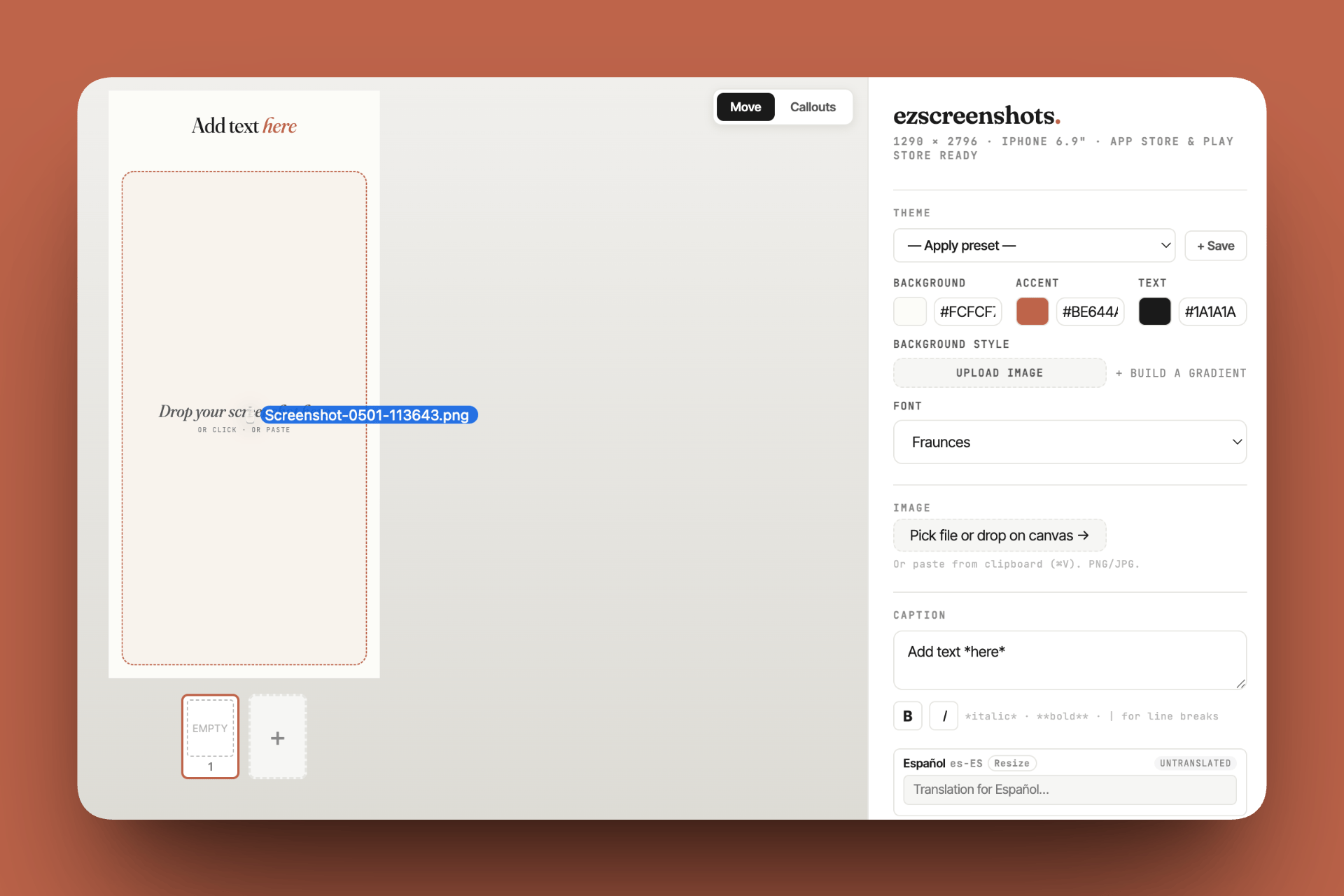
Fix the listing before running a single ad
Every channel drives traffic to your App Store page. If the first screenshot doesn't convert, the marketing spend is wasted. Change "Habit Tracker" to "Build a habit in 21 days." Drop in your Simulator screenshot, add the outcome caption, export at the right dimensions. Free, no account needed.
Try ezscreenshots →Summary
- Paid ads failing is usually a sequencing problem, not a targeting problem — a listing converting at 8% costs 3x more per install than one converting at 25%
- ASO first, always: first screenshot (outcome language, caption in top third), subtitle (keyword + outcome), keyword field (no repeats, every character used)
- Check App Store Connect conversion rate before adding any paid channel — below 20% on warm traffic means the listing needs work
- Reddit: search for problem language, contribute genuinely, mention your app once — the community channel with the highest-quality early users
- TikTok/Reels: show the app working in 15 seconds; raw screen recordings outperform polished promos because they trigger belief, not skepticism
- Micro-influencers: 8,000 engaged niche followers beats 500,000 general — always track with deep links
- Apple Search Ads: start with Exact Match, $5–10/day, measure CPI vs LTV for two weeks before scaling; does not boost organic ranking
- Meta/Google: later stage, requires strong visual creative and full attribution setup to be viable